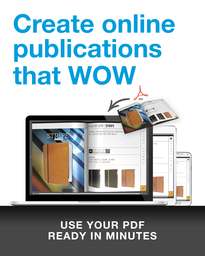
Create your PDF file interactively online in seconds
Convert your PDF file into a page turning edition without technical skills required. Your flip book publications can be viewed on desktops instantly.
Learn more >
Do you have pretty publications you want to share in an activating way on your website? No matter how pretty your publications are, you will not activate your audience if you share a simple PDF edition on your website. Next to that, a PDF file has to be fully downloaded before it will open!
With our simple flip book publication page flip tool you can easily convert your PDF files into activating flipbooks that open instantly on desktops. Within minutes you can create flip book publications and activate your audience with an activating experience with smooth-turning pages and interactive features unavailable in print. For example, URL and page links, including links to your web shop and videos. You can reach new audience while saving money on printing and distribution and reducing your carbon footprint. Self publishing flip book publications couldn't be easier! And guess what? There's even an option to publish PDF files online for FREE!
Convert your PDF file into a page turning edition without technical skills required. Your flip book publications can be viewed on desktops instantly.
Learn more >
Create an interactive flip book edition of your publication. Enrich your flipbook with URL, page and YouTube links within minutes. No technical skills required. Easy does it!
Learn more >
With the activating interactive publication page flip tool you will offer your audience outstanding display quality and the smoothest-turning pages. Your audience will love to share your flipbooks.
Learn more >
Outstanding qualityPublizr (dev) offers exceptional display quality. Your audience can zoom in pages without text and illustrations becoming unsharp. 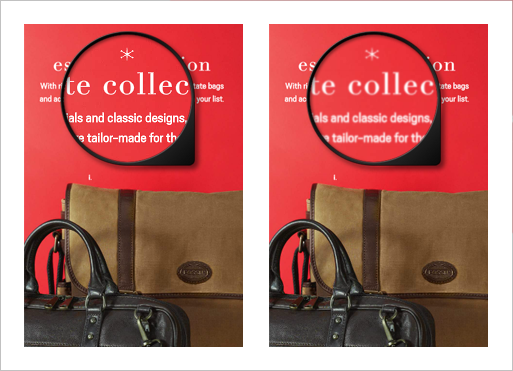
|
Smoothly turning pagesPublizr (dev) offers the smoothest turning pages and an activating multi-page flip effect when browsing various pages at once. 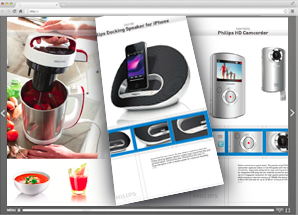
|
Modern menuWith the stylish menu you offer your audience a top-notch brand experience. The clean reader ensures that your flipbook gets full attention. 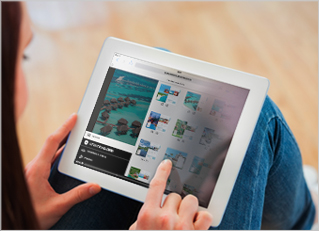
|
Just upload your PDFIt only takes a few minutes to convert your PDF file into a page turning publication. With all hyperlinks and email addresses made clickable for you! 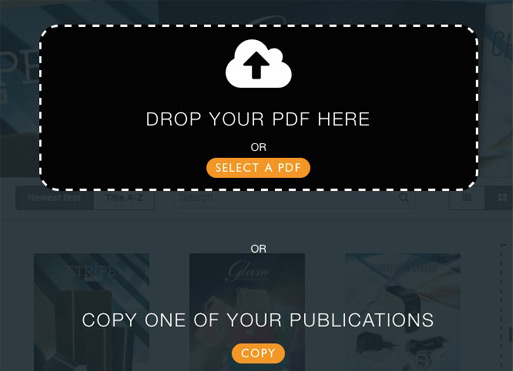
|
Drag & Drop EditorWith the simple Drag & Drop Editor you can add hyperlinks and page links easily. The snap feature enables you to align frames perfectly. 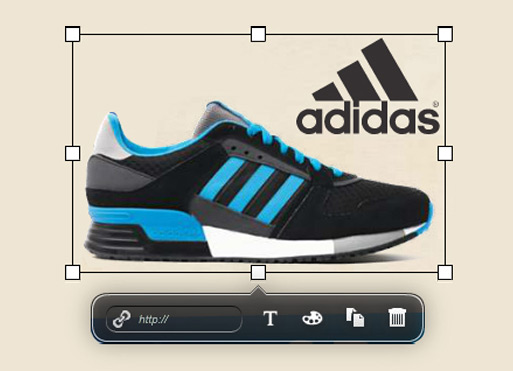
|
Cross-platformNo need for expensive apps. Your publication can immediately be viewed in the mobile browser, optimized for iOS and Android. 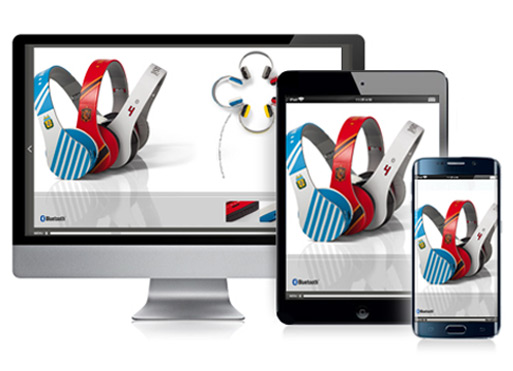
|
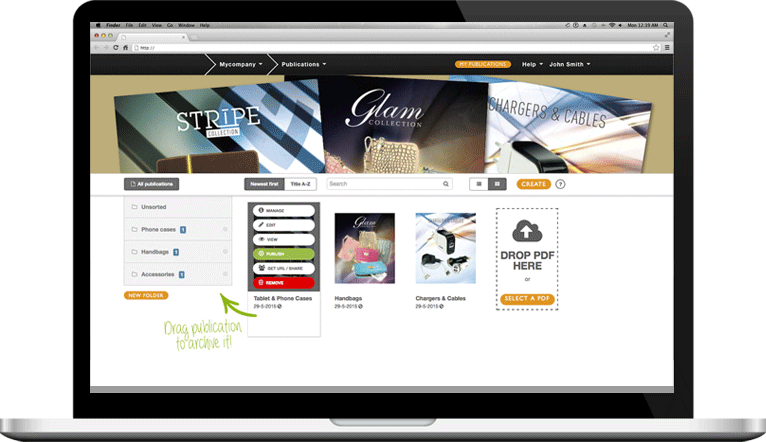
Publizr (dev) is trusted by many smart corporations. Our clients range from small companies to multinational corporations. They have one thing in common: they want to convert their simple PDF files into activating flip book publications that open instantly and can be viewed on desktops. Due to its unrivalled quality and activating reading experience, Publizr (dev) has proven to offer all types of corporations valuable advantages, converting vistors into clients.
With the simple Publizr (dev) PDF file page flip tool all kinds of online publications can be created: online magazines, digital catalogs, interactive brochures, flipbooks, online newspapers, journals, flyers, pamphlets, lookbooks and more. View some examples and be inspired! Create your free account and start creating flip book publications with our simple page flip tool yourself as well!






The simple Publizr (dev) PDF file page flip tool enables you to create unlimited flip book publications with ease. You can keep your publications online as long as you prefer. All flipbooks include unlimited bandwidth and software updates for free and you don't need a web host.
After you have created your free account, you can make use of all Publizr (dev) features for 14 days without entering your credit card details. You can convert your PDF files and create as many flip book publications as you like. You can embed} flipbooks on your website or web shop and share them on Facebook and Google+. After the free trial period you choose if you like to continue with a premium or free plan.